How does it work?

Verify PDF authenticity

Upload your file to check if it has been notarized on the blockchain: in just a few seconds, you will know whether the document is authentic, intact, and time-stamped.

File hash (SHA-256):

Processing file...
How blockchain verification of your documents works

Verifying a document on the blockchain is a quick and transparent process, designed to give you certainty about its authenticity.

On the CIMEA DiplomeChain infrastructure, it works in three simple steps:

01
PDF Upload
Select your document and upload it to start the verification.
02
Hash Analysis
The system analyzes the unique code (hash) that represents the digital fingerprint of your file.
03
Blockchain Check
Your file's digital fingerprint is compared with those already registered on the CIMEA DiplomeChain blockchain.
Verification & results
What exactly do we check?

When you upload a PDF, we calculate its unique digital fingerprint (hash) and compare it with those already registered on the CIMEA DiplomeChain blockchain.

This verification can lead to two possible results:
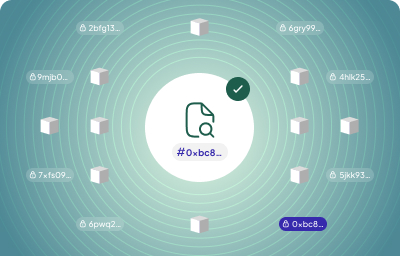
The PDF hash is found on the blockchain

Authentic document

The file you uploaded matches an existing record on the CIMEA DiplomeChain infrastructure. This means:

  • It is intact and has never been modified
  • It is already certified with a verifiable timestamp
  • You can consider it authentic and secure
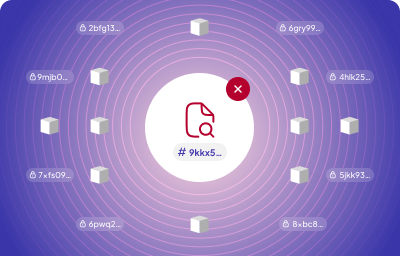
The PDF hash is not found on the blockchain

Uncertified document

The uploaded file has a digital fingerprint that does not exist on the CIMEA DiplomeChain blockchain. This means:

  • It has never been notarized
  • It's a different version from the original
  • You cannot consider it authentic
FAQ
Everything you need to know
1.
What is notarization?
Notarization means giving your file a unique, tamper-proof digital “fingerprint” that proves it existed in that exact form at a specific moment in time. On CIMEA DiplomeChain, this is done by creating a hash, an encrypted code that is unique to your file and changes even if the file is modified by just one bit. The file itself never leaves your device: only its fingerprint is recorded on our blockchain, ensuring maximum privacy and data protection.
2.
What happens to my file after verification?
Nothing happens to your file: it stays right where it is, on your device. When you upload it for verification, CIMEA DiplomeChain only reads it locally to calculate its digital fingerprint (the hash). That fingerprint is compared with the records on the blockchain to see if the file was previously notarized. Your file is never uploaded, saved, or shared with anyone.
3.
Can I verify multiple files at once?
Not at the moment. Currently, CIMEA DiplomeChain allows you to verify one file at a time through this public verification page.
4.
Do I need a wallet or blockchain knowledge?
No, you don't need a wallet, accounts, tokens, or any blockchain knowledge. CIMEA DiplomeChain handles all the technical aspects for you behind the scenes. Just upload your file, and the system will automatically take care of everything in a few seconds.
5.
What does it mean if the system displays “No record found?”
If the system doesn't find your file's fingerprint on the blockchain, it means the file has not been notarized yet or that it has been modified since the original version. In this case, you'll see a message saying that no match was found. In case of any troubles, we kindly invite to contact the organization that issued the document you are trying to verify.